Built for How You Work | What's New at Proof in April


April's features are focused on speed and efficiency. From pre-built transaction templates to copy/paste shortcuts, self-serve plan upgrades, and smarter risk signals in Defend, here's what's new.
A redesigned sending experience
Last month, we released a new version of the transaction creation form. This month, we’ve introduced a “start a new transaction” experience across Proof to make it simpler to choose the right workflow, reduce setup time, and help senders get to “ready to send” with more confidence.
The new experience introduces a cleaner, use-case-forward entry point that’s consistent across where you start a transaction. When you start a new transaction, you’ll now see a single, streamlined selection drawer that helps you pick the right workflow up front. This design lends us to introducing more Proof workflows and custom templates for our Premium and Enterprise customers in the future.
Real Estate customers will see all Closing workflows now broken out by use-case, including Cash Buyer, Seller, Refinance, Home purchase, Home equity etc. in this new drawer layout. From there, the eligibility checkpoint has also been folded into this side-drawer, reducing the number of pages Title Agents and Lenders need to click through to create a transaction.
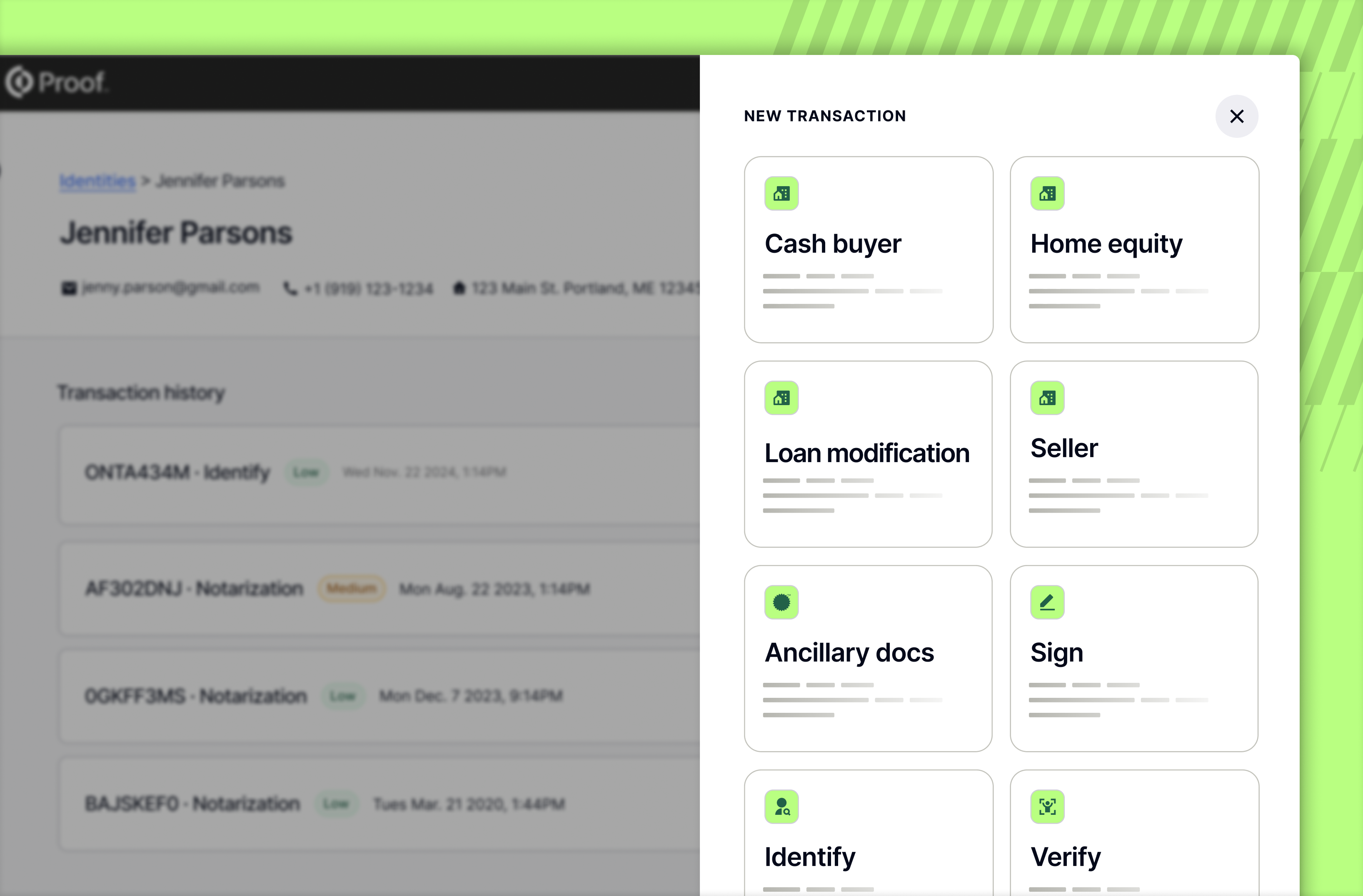
This new design is implemented across touchpoints where users may initiate new transactions, including the Transactions dashboard and identity customer profiles, for those customers with access to the Identity dashboard.
Your most common transactions, ready to go
Starting a new transaction previously involved selecting the correct product and configuring all necessary requirements to match your specific use case. Business Pro and Pro+ customers can now start transactions using Transaction Templates—prebuilt, titled use-cases that automatically apply preset requirements aligned to common workflows. Templates streamline setup, reduce repetitive configuration, and make it easier to choose the right workflow without needing to understand underlying product mechanics.
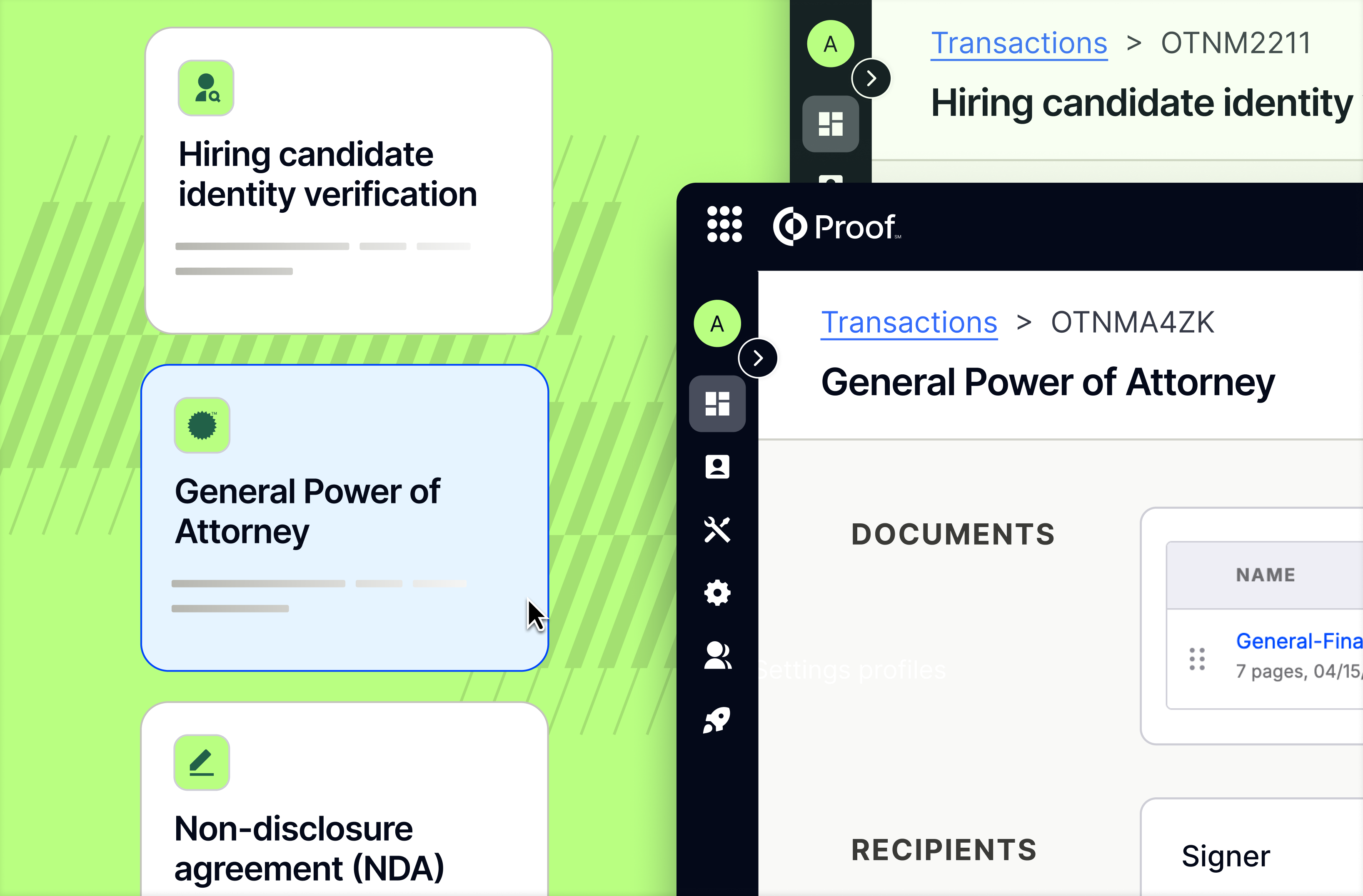
Selecting a template pre-populates the transaction form so you can review and send rather than configure from scratch. This includes preset recipient requirements and pre-attached document templates. We’re helping to get senders started with these prebuilt common use-cases; however, all normal transaction editing capabilities remain fully intact.
Copy. Paste. Done.
We’re continuing to fasttrack transaction creation by reducing the tedious task of document tagging. If you've spent time manually recreating the same signer and notary fields across multiple pages in the Proof document editor, you may now simply use Cmd+C / Ctrl+C to copy selected fields and Cmd+V / Ctrl+V to paste them instantly placing a duplicate field on the currently visible page.
It works in both the document and document template editor across Business, Title, and Lender portals. The shortcut pairs naturally with multi-select (shift+click), so you can copy a whole group of fields at once and paste them in one action. Multi-select enables customers to select multiple fields at once to copy, paste, delete, and move within documents. Stay tuned for more multi-select capabilities releasing next month!
Per-transaction charge statements, built in
Lenders initiating real estate transactions on Proof can now access a per-transaction Charge Statement that clearly summarizes Proof and Notarize RON fees. The statement is clearly labeled "This is not an invoice," reflects the charges for a specific closing, and is available under Transaction Details > Documents > Supplementary Documents once a meeting is completed.
When enabled, the Charge Statement is automatically generated at meeting completion and included in Download All actions. It's also available in DocuTech and nCino closing packages when the org flag is configured, making it easy to include in the broader document set for any transaction. For lender operations and accounting teams, this provides a purpose-built artifact for every closing.
Coming soon: Manage your teams across organizations
Enterprise administrators will soon be able to move users between child organizations, eliminating the need for support tickets.
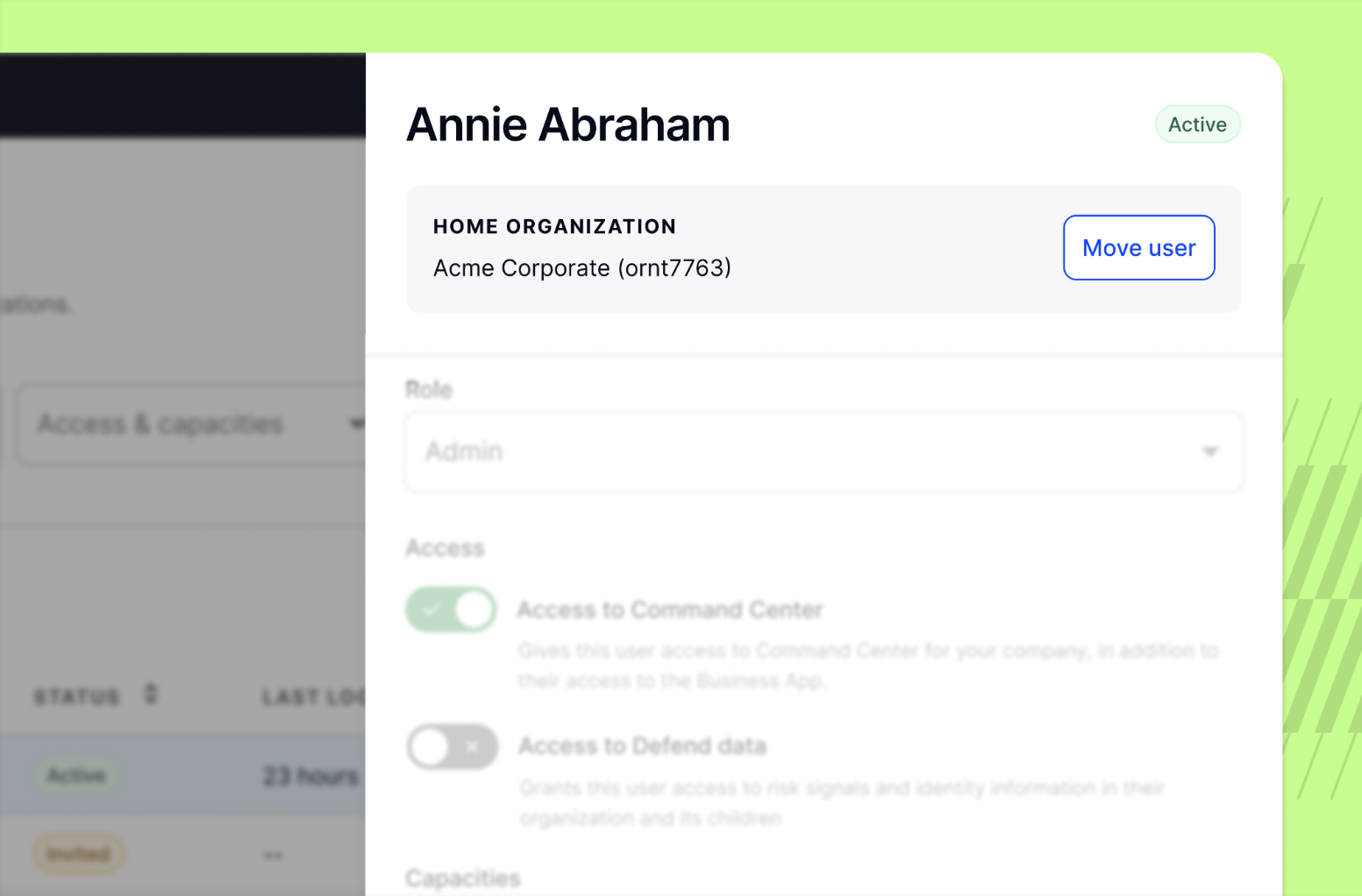
When moving a user, any existing transactions will remain with the original organization, while the user’s role and permissions will transfer to the new organization. The platform automatically identifies any edge cases that require attention or approval before finalizing the move.
This is essential for organizations managing restructures, branch changes, or employee transfers across divisions.
Understand the risk before you act
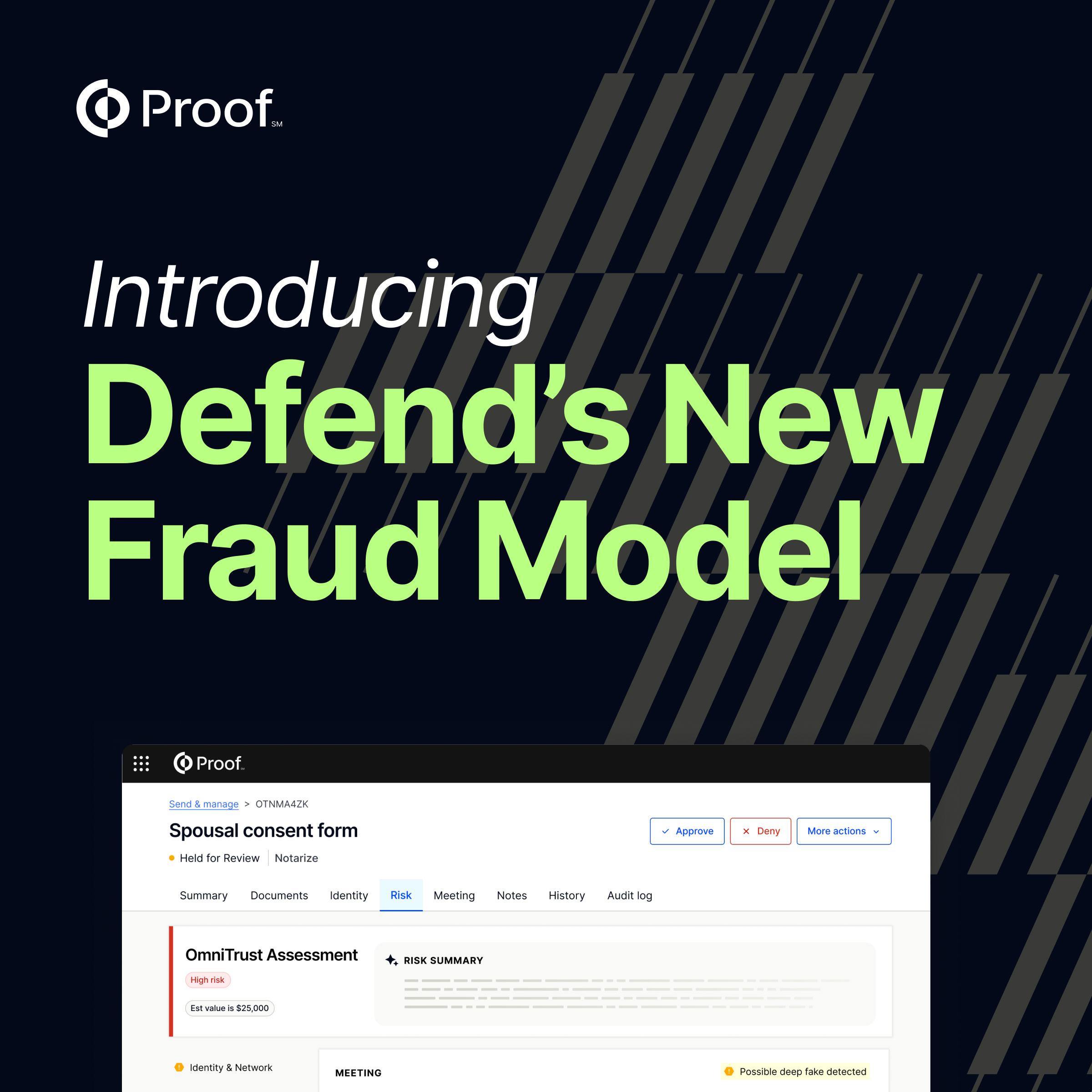
Defend users investigating risky transactions will now see a more comprehensive and consistently formatted set of risk signals in both the risk tab and Identity tab. The update expands the range of signal types Defend surfaces and reorganizes them to be more logical and actionable.
This means your team can efficiently assess and respond to a transaction with clarity and confidence, allowing organizations that use Defend to monitor and investigate sessions with less ambiguity and faster triage.
Ready to see how Proof can help your company achieve its goals? Contact our sales team at sales@proof.com to learn more!































.jpg)































































.png)

.jpg)